
Rusted_Knight_of_New_Age
Well-Known Member
This, so far, is the only way that I have found that you can see your true combined stats in game as well as how much gold you truly have.
True Amount of Gold:
Both iOS and Android can see their gold by going to Furnishings > See More > Click on any of your furniture and there you will see how much gold you truly have.
iOS has an additional option by clicking search more in their Allies tab as the big number in the box on the right will have how much gold they have.

Find your full Combined Stats:
The 2 ways to do this is:
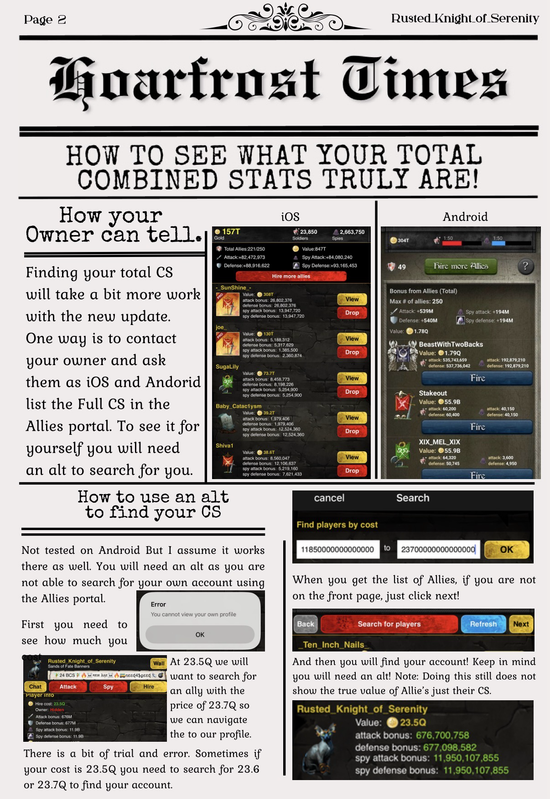
1: Ask your owner: In their Allies Portal they will have the full list of your CS
2: You have to use an alt. It is impossible to look yourself up. Using an alt, type out a price slightly higher than you are in the Find More Allie’s section, and tab over until you find your account.
Find Full Cost on Allies, Buildings, and Lands:
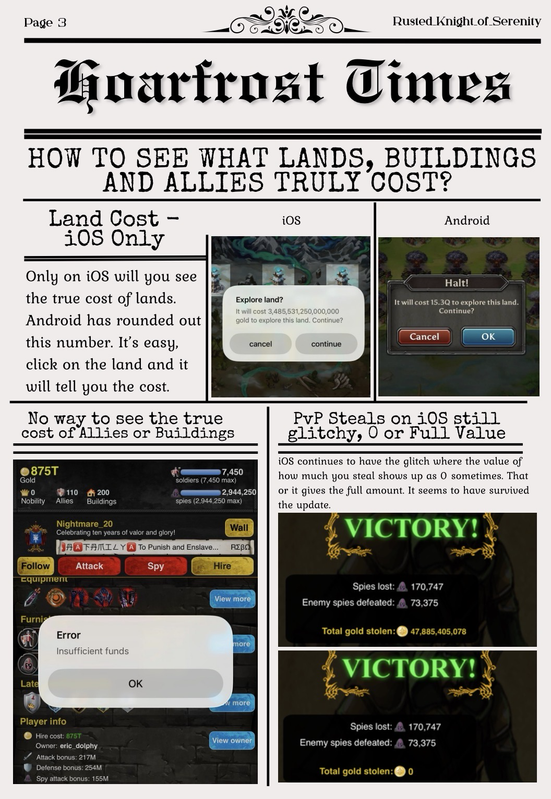
iOS stills shows the full cost of lands, but other than that the only way to see the full cost of Buildings or Lands is to look at Choccy’s Guide Here Which does not have Skjoldheimr or the new Hoarfrost Buildings (and maybe not the new Highland buildings either. This is because our friend Choccy is retired. Lego has a spreadsheet on lands and buildings base Here
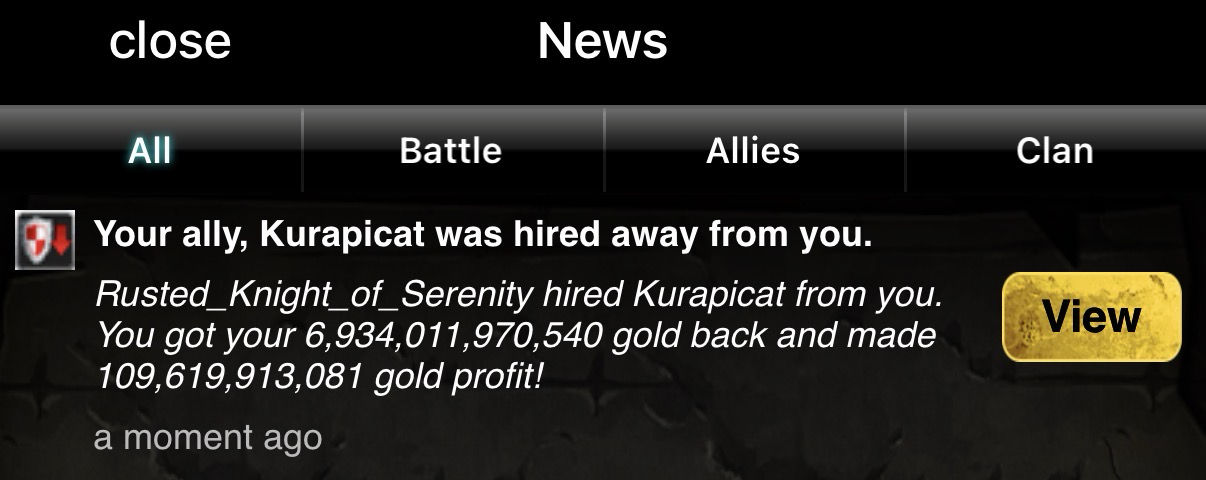
There are no tricks or shortcuts to seeing the full ally cost. You get a notification with a full number when hired in news but that is it.
Special thanks to SW33T_KITS for providing Android photos and testing this on Android
 ᎦᎦ
 །༜།YΛ-NΛL-FI།༜།ᎦᎦ
True Amount of Gold:
Both iOS and Android can see their gold by going to Furnishings > See More > Click on any of your furniture and there you will see how much gold you truly have.
iOS has an additional option by clicking search more in their Allies tab as the big number in the box on the right will have how much gold they have.
Find your full Combined Stats:
The 2 ways to do this is:
1: Ask your owner: In their Allies Portal they will have the full list of your CS
2: You have to use an alt. It is impossible to look yourself up. Using an alt, type out a price slightly higher than you are in the Find More Allie’s section, and tab over until you find your account.
Find Full Cost on Allies, Buildings, and Lands:
iOS stills shows the full cost of lands, but other than that the only way to see the full cost of Buildings or Lands is to look at Choccy’s Guide Here Which does not have Skjoldheimr or the new Hoarfrost Buildings (and maybe not the new Highland buildings either. This is because our friend Choccy is retired. Lego has a spreadsheet on lands and buildings base Here
There are no tricks or shortcuts to seeing the full ally cost. You get a notification with a full number when hired in news but that is it.
Special thanks to SW33T_KITS for providing Android photos and testing this on Android
ᎦᎦ།༜།YΛ-NΛL-FI།༜།ᎦᎦ
Last edited:

